Starter
Up to 5 active crew
$49/mo
5 crew seats
- Unlimited weddings
- Studio staff accounts free
- $9 for your first 14 days
- Set up for you once you pay
One request. Their phone buzzes. They tap Accept. Your wedding page turns green while you're still on hold with the florist.
Now accepting founding studios · crew never pay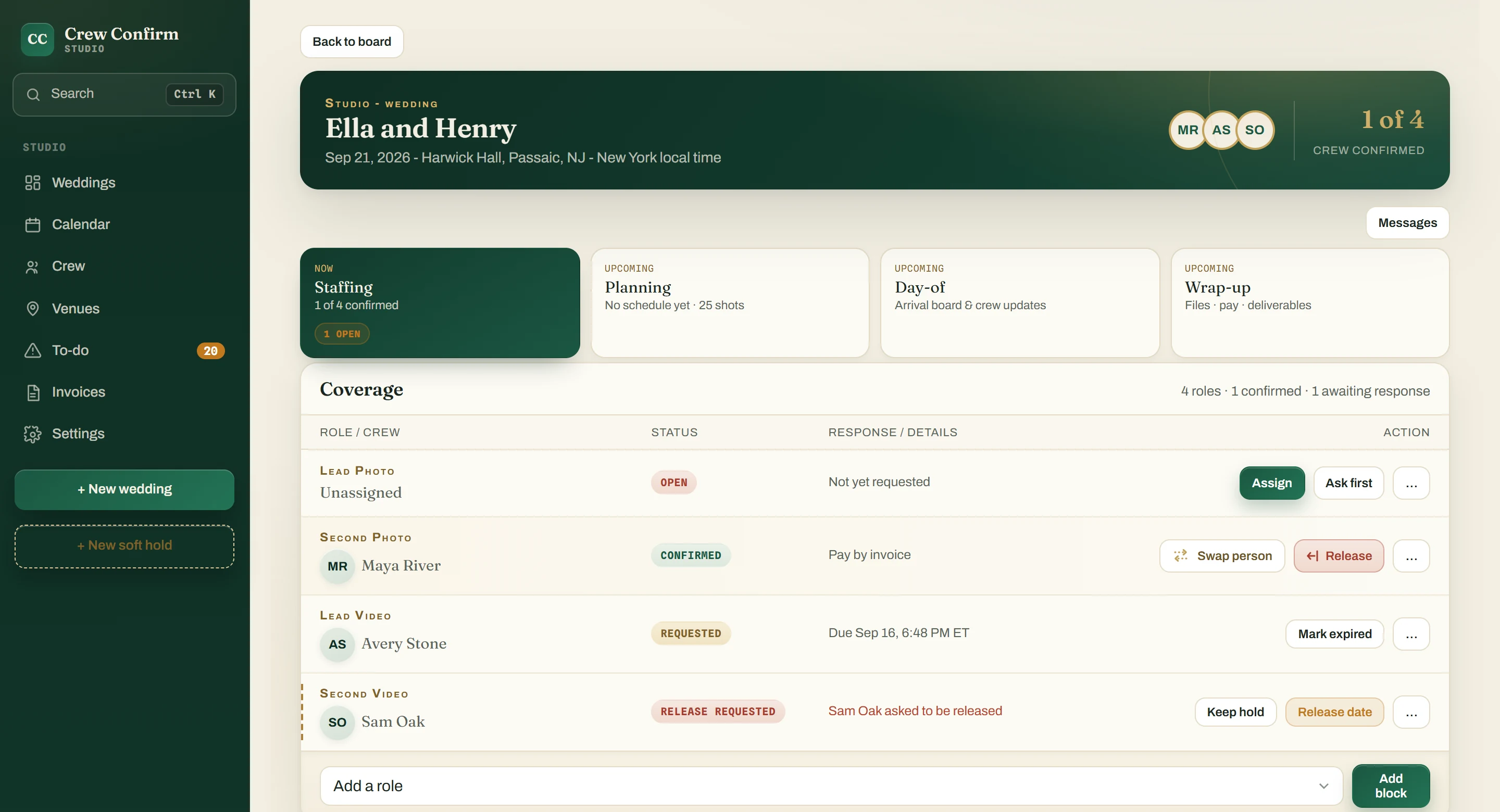
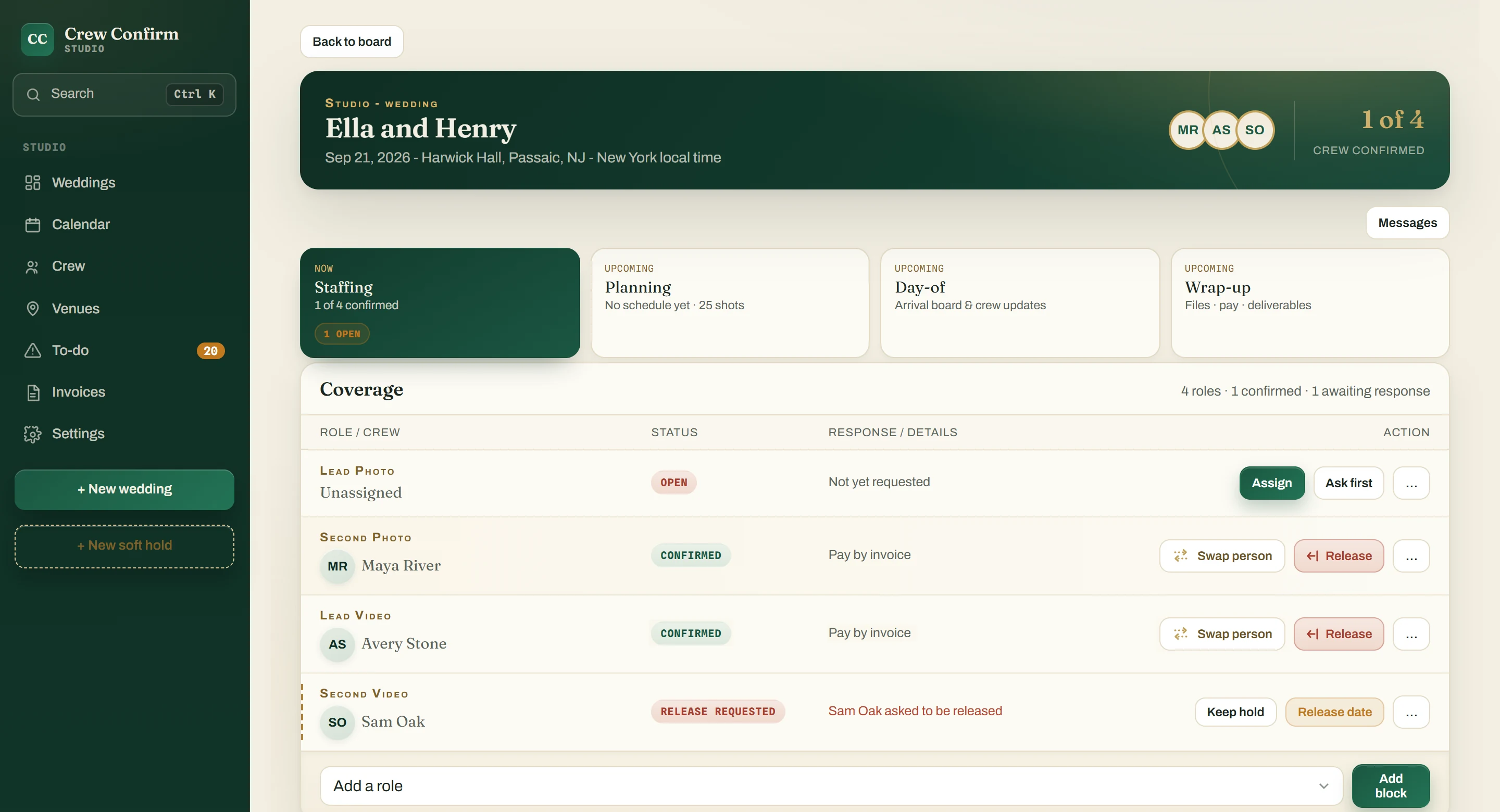
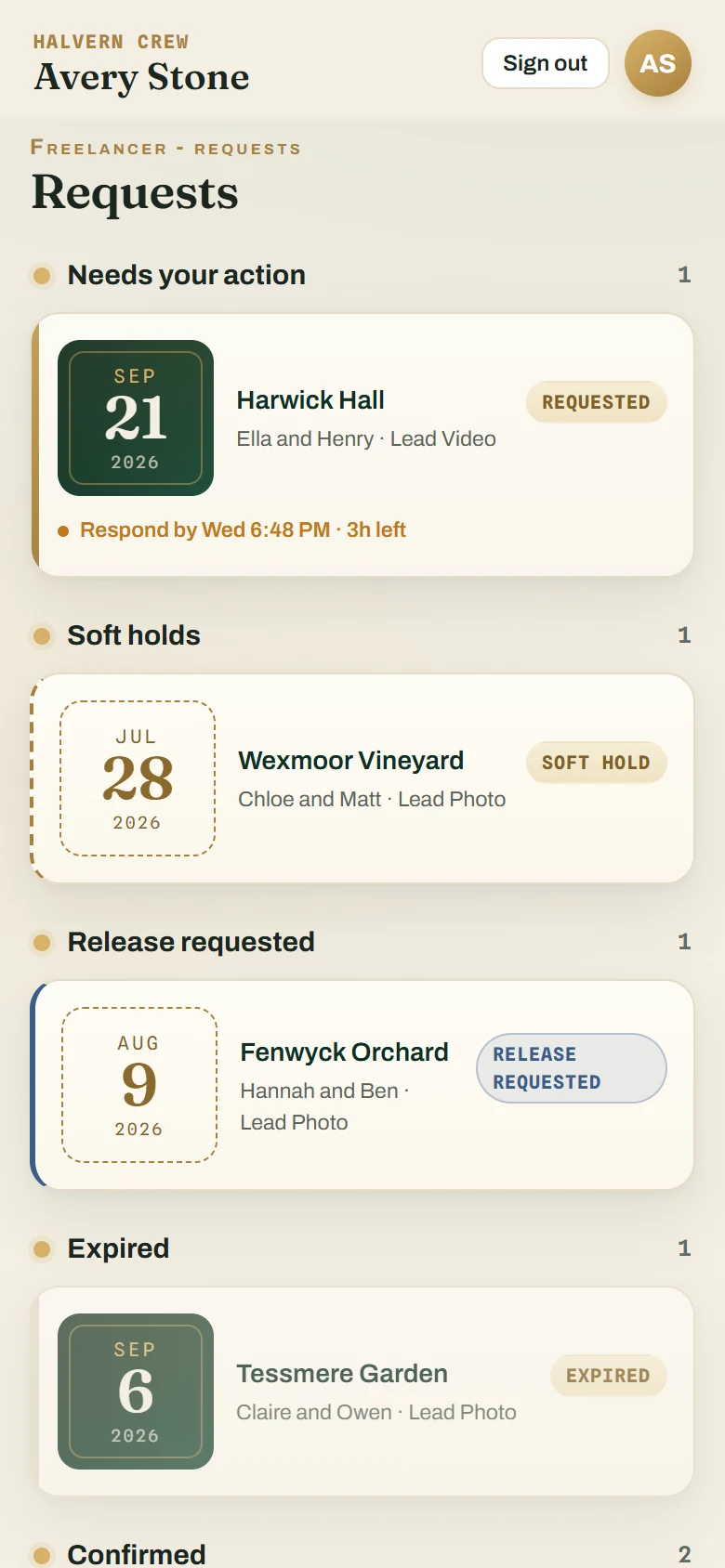
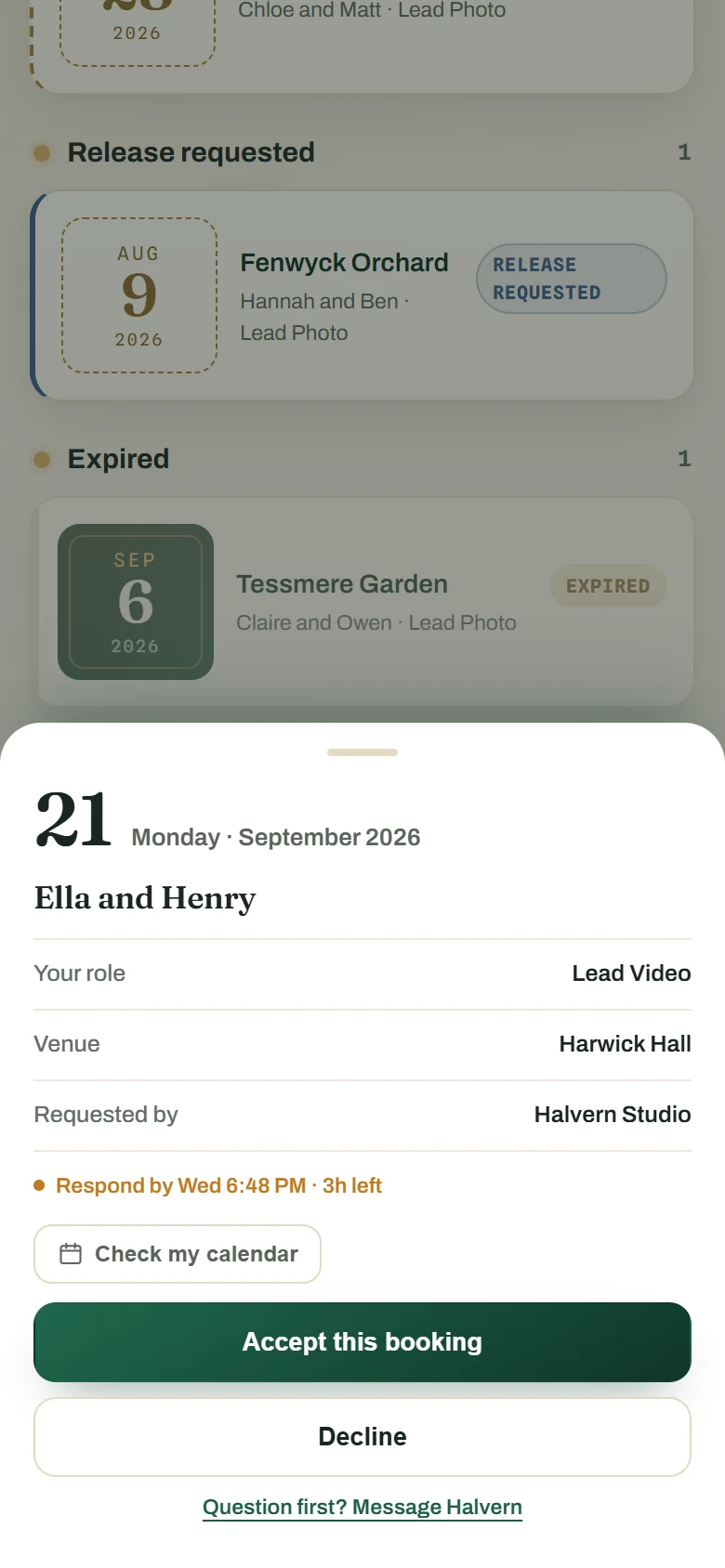
Ask the person you pick for a role on a date and it lands in their crew app, and by text or WhatsApp, whichever they picked, once your studio's texting number is verified. They answer before the Respond-by deadline, or the request expires on its own.
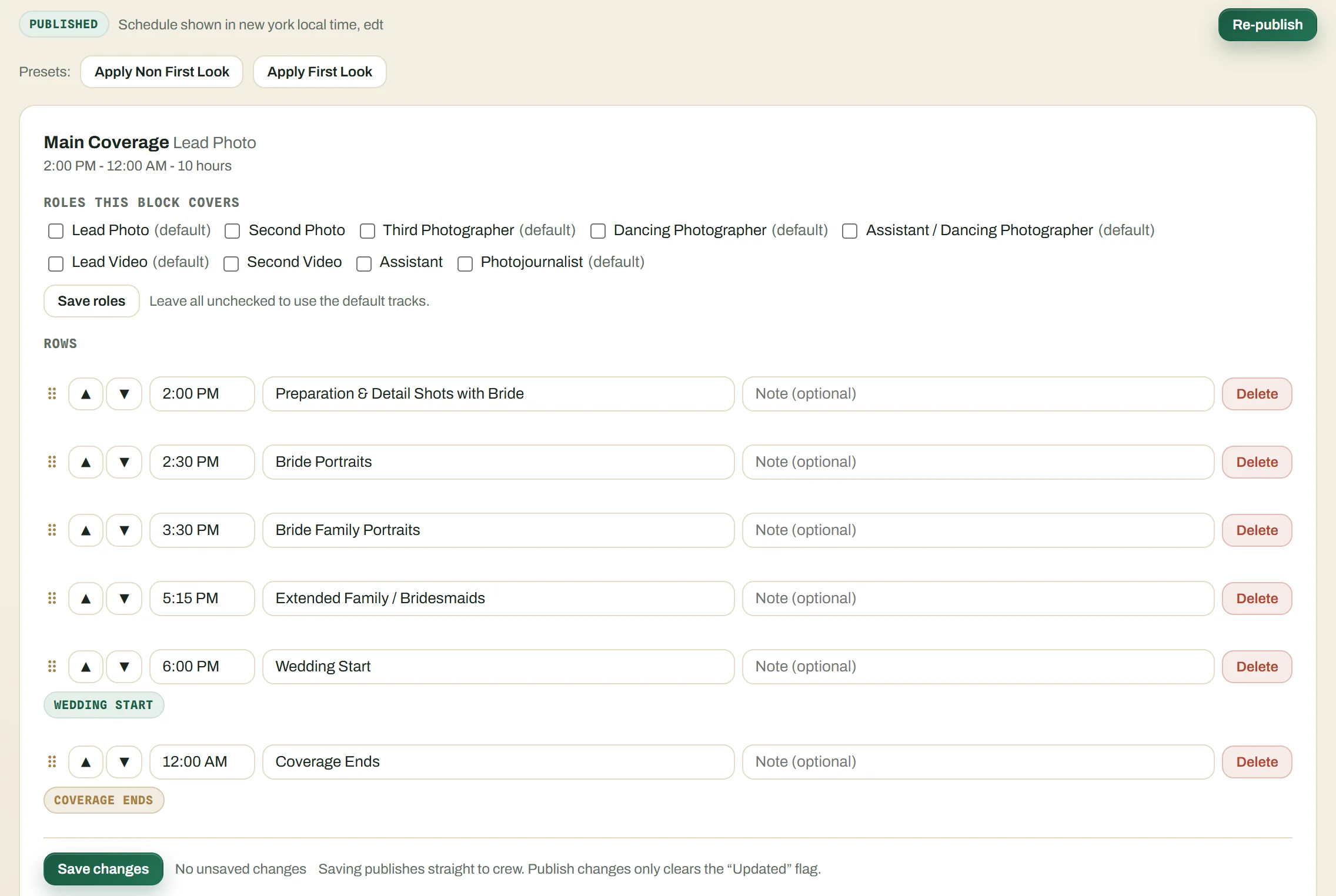
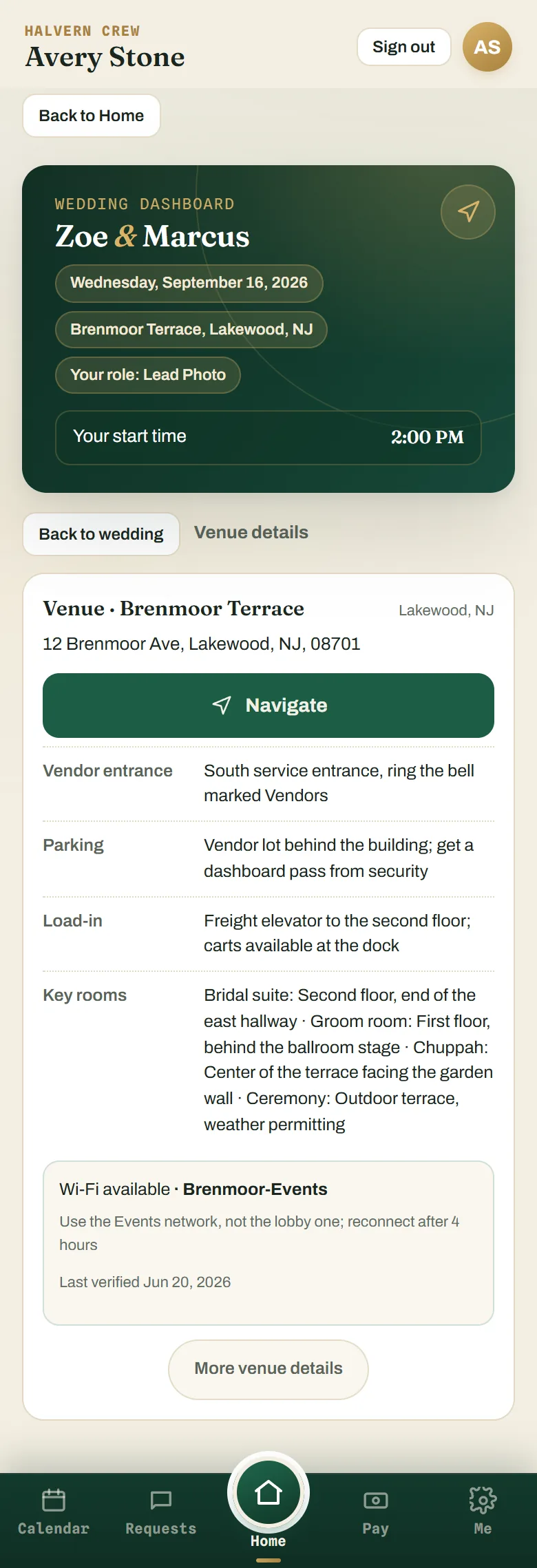
Every confirmed crew member gets one wedding page: the schedule, the shot list, the family list, the venue, the crew. Change something and they acknowledge it, so you know who has acknowledged it.

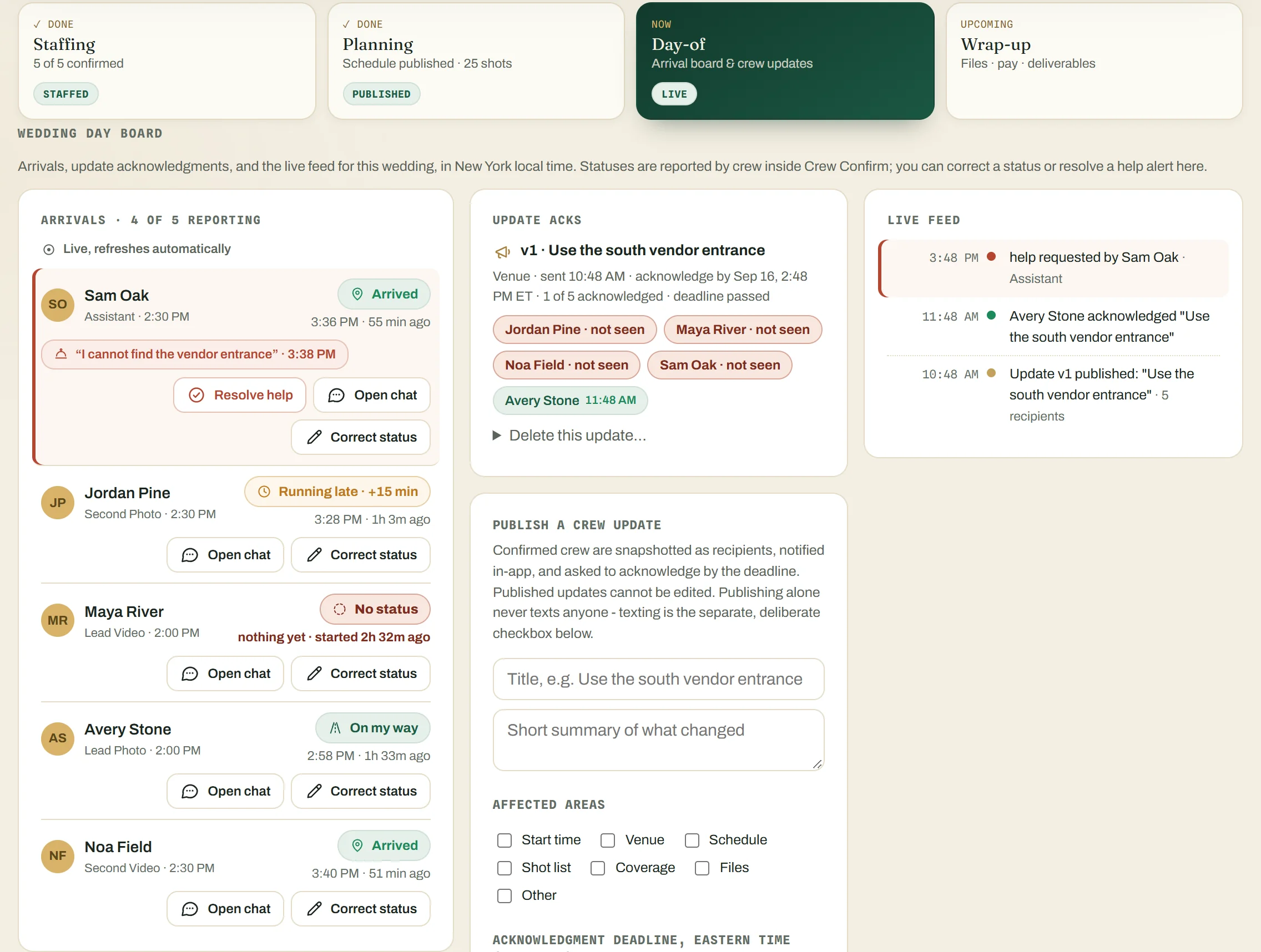
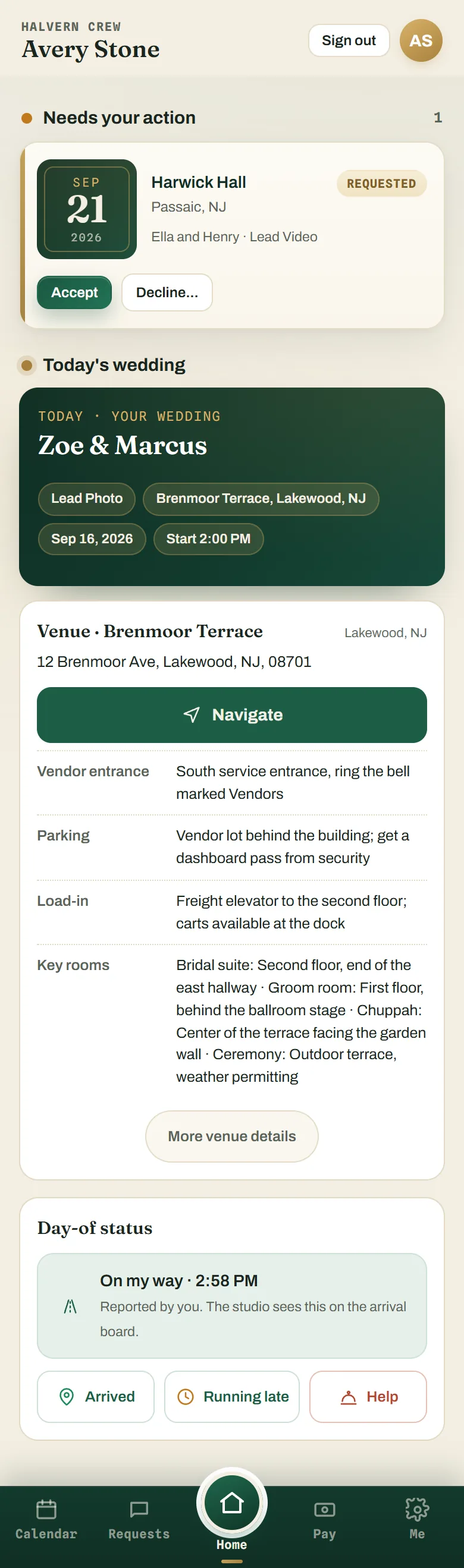
On the day, crew tap one button: on my way, arrived, running late. You watch the arrivals board fill in live instead of texting everyone "where are you?"
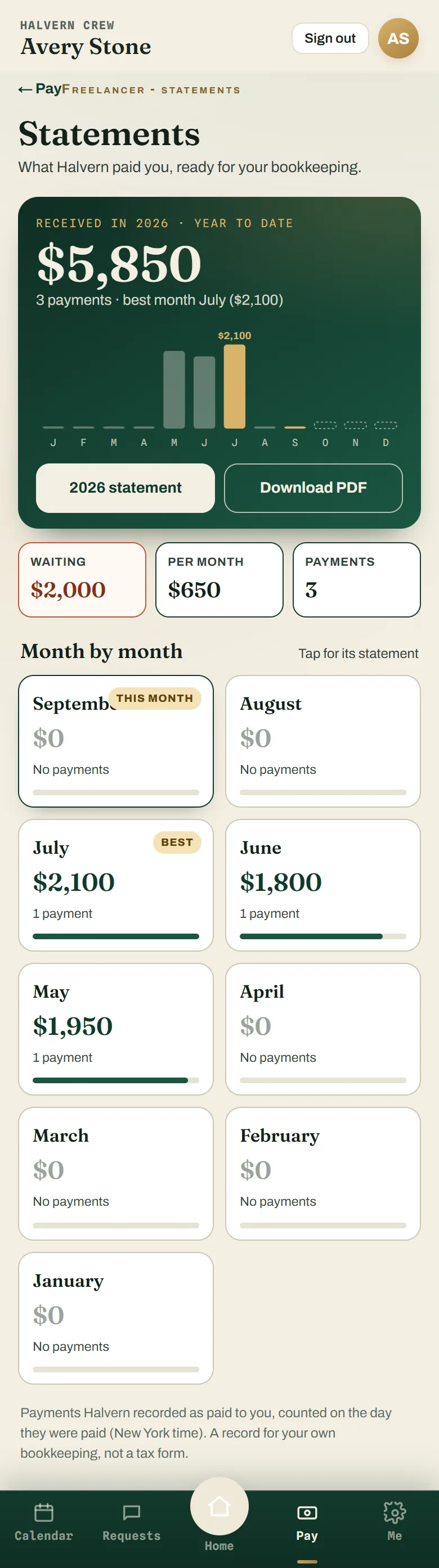
After the wedding, crew get a wrap-up: send the files, send the invoice. You mark it paid (with Undo, for the 2 AM slip), and it lands on their statement.
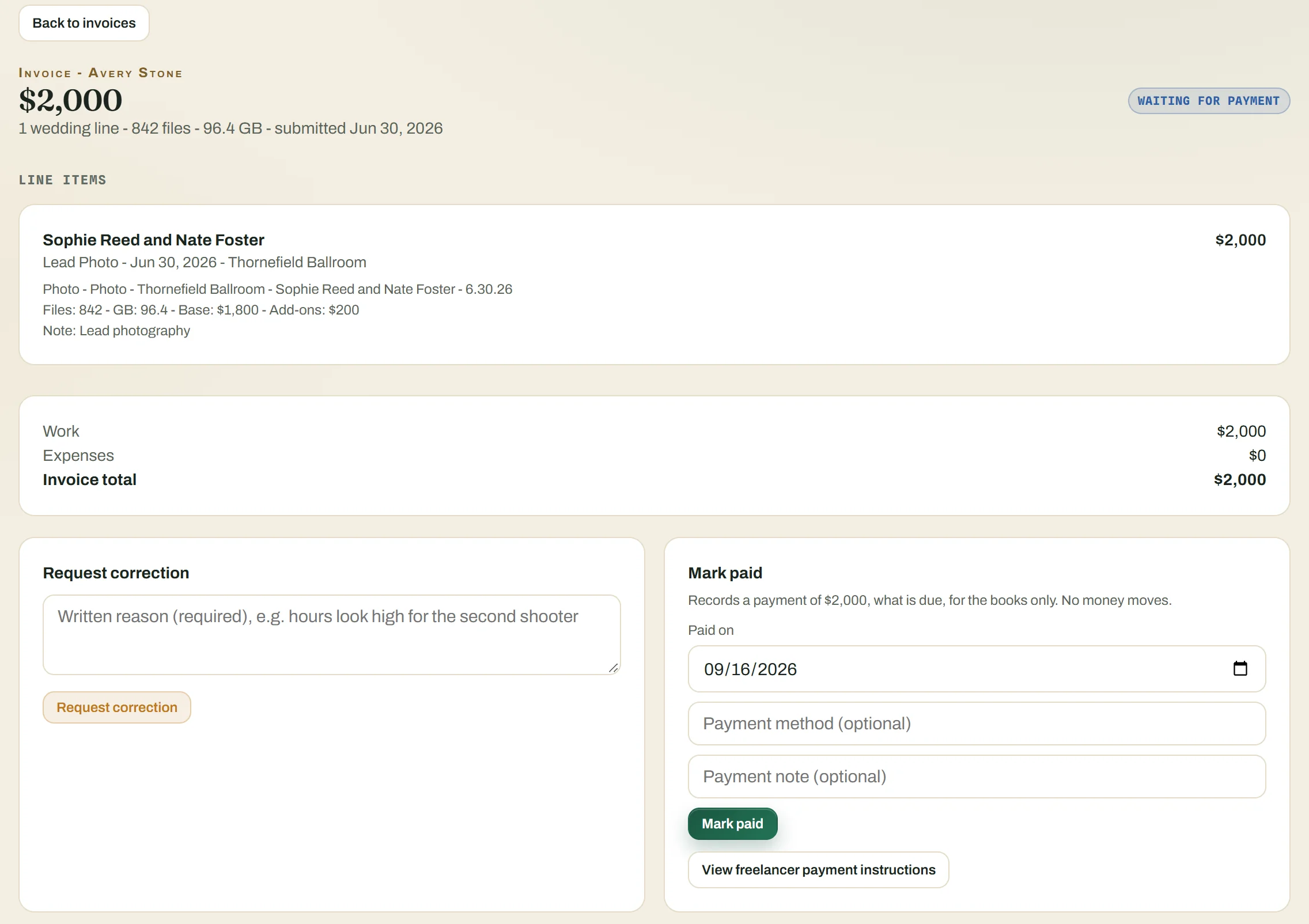
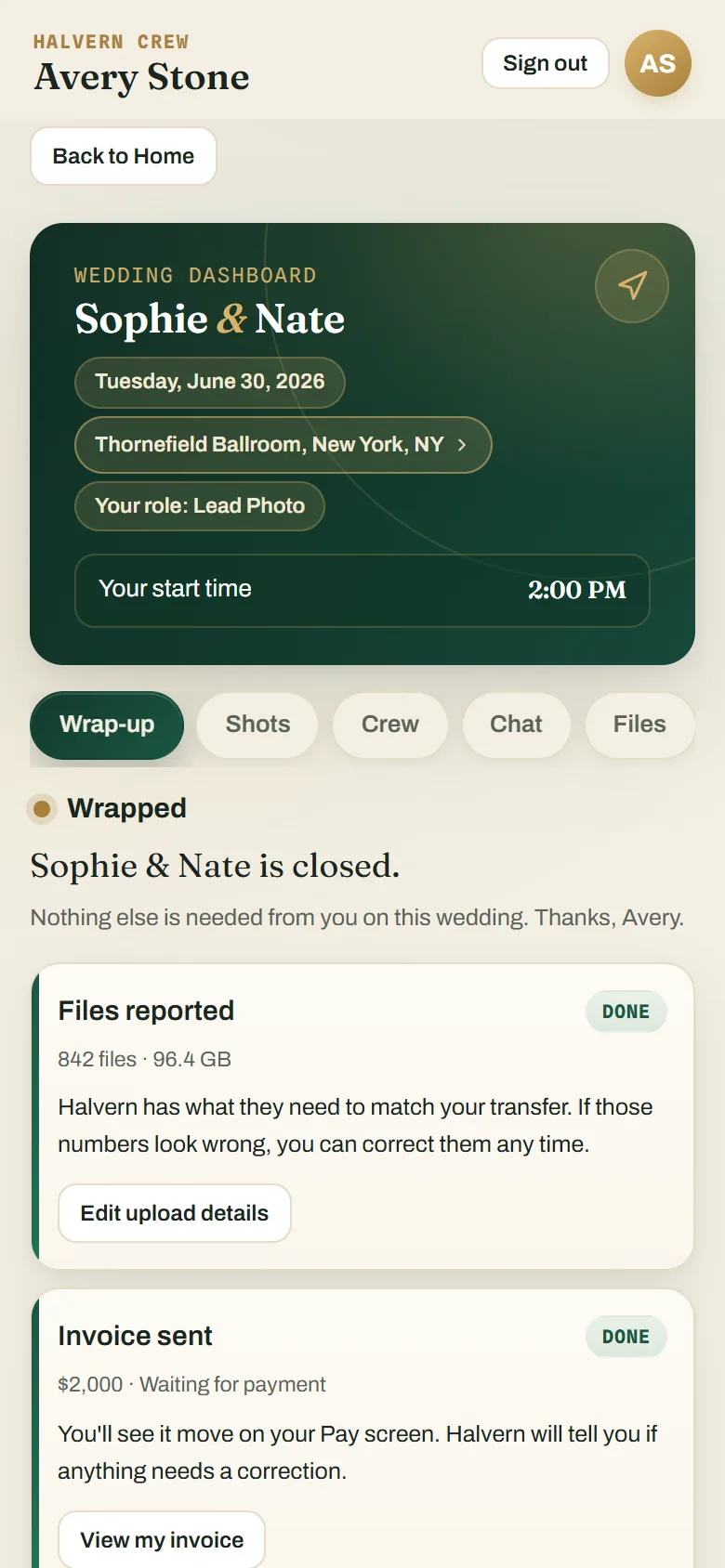

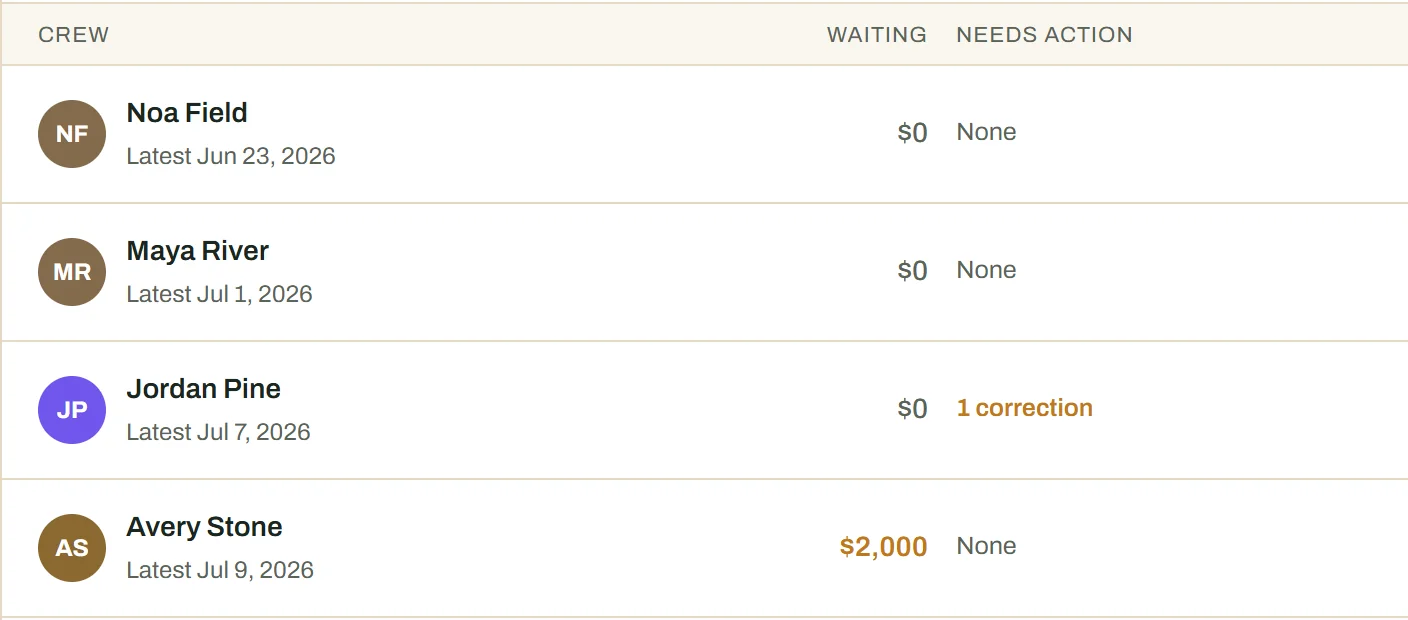
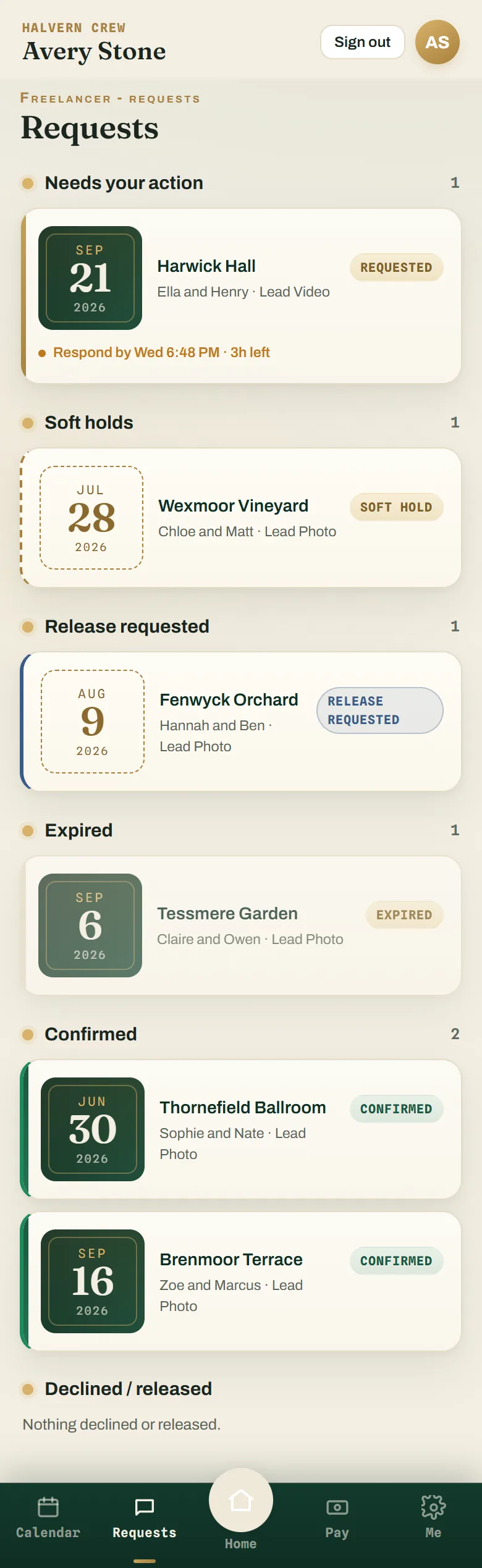
The studio runs the season from a laptop. The crew get a phone app that installs from the browser. These are real captures of the app, with its sample names.
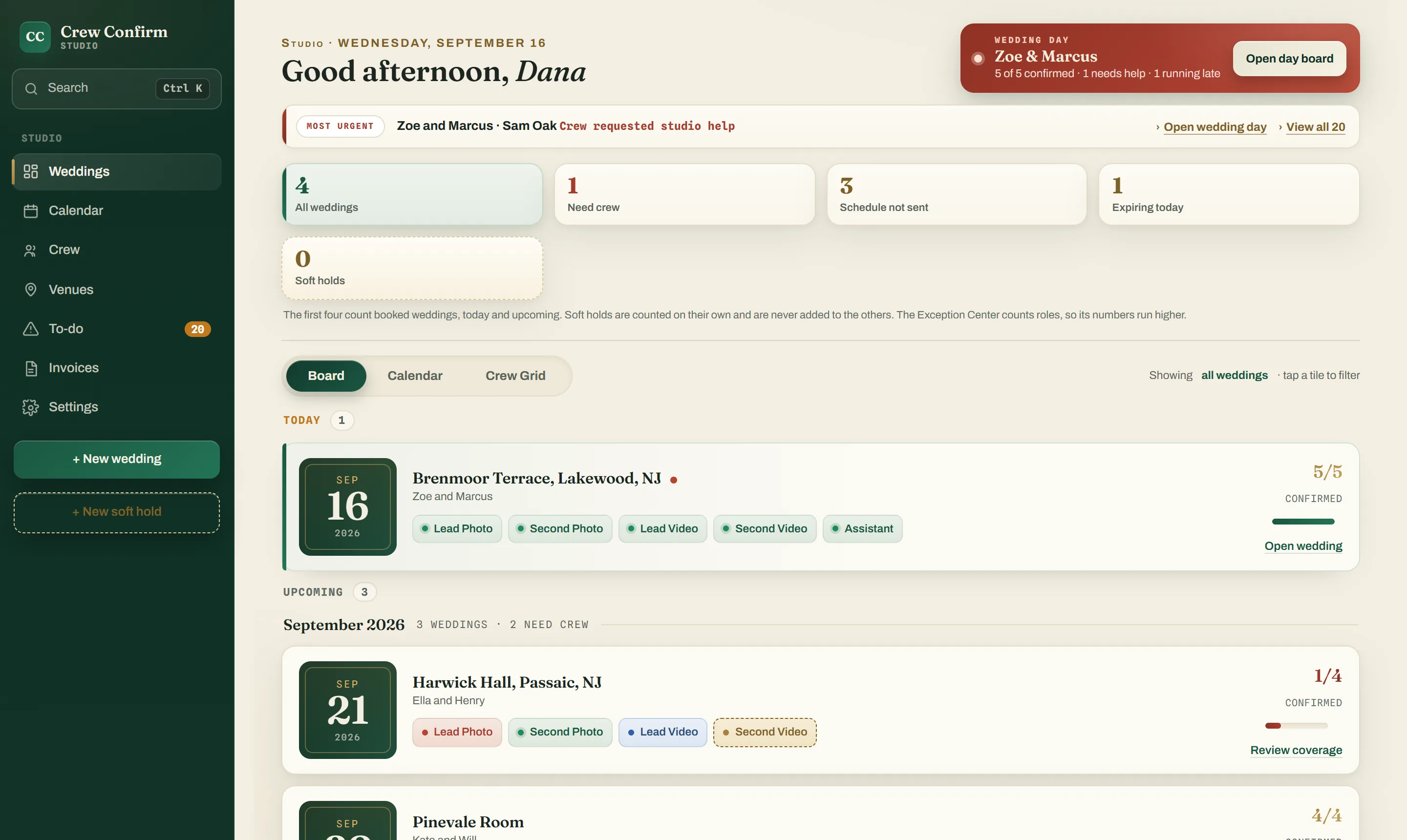
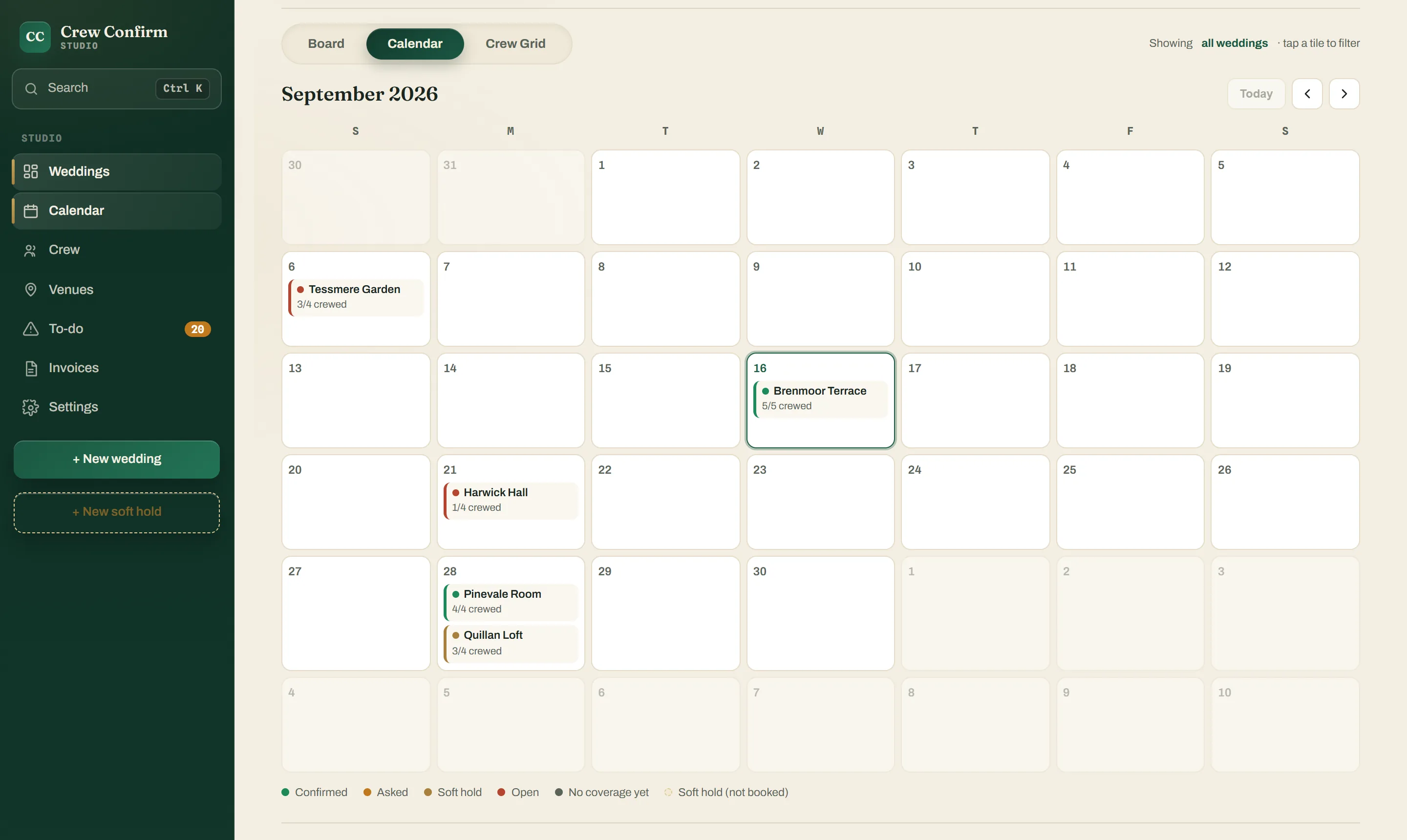
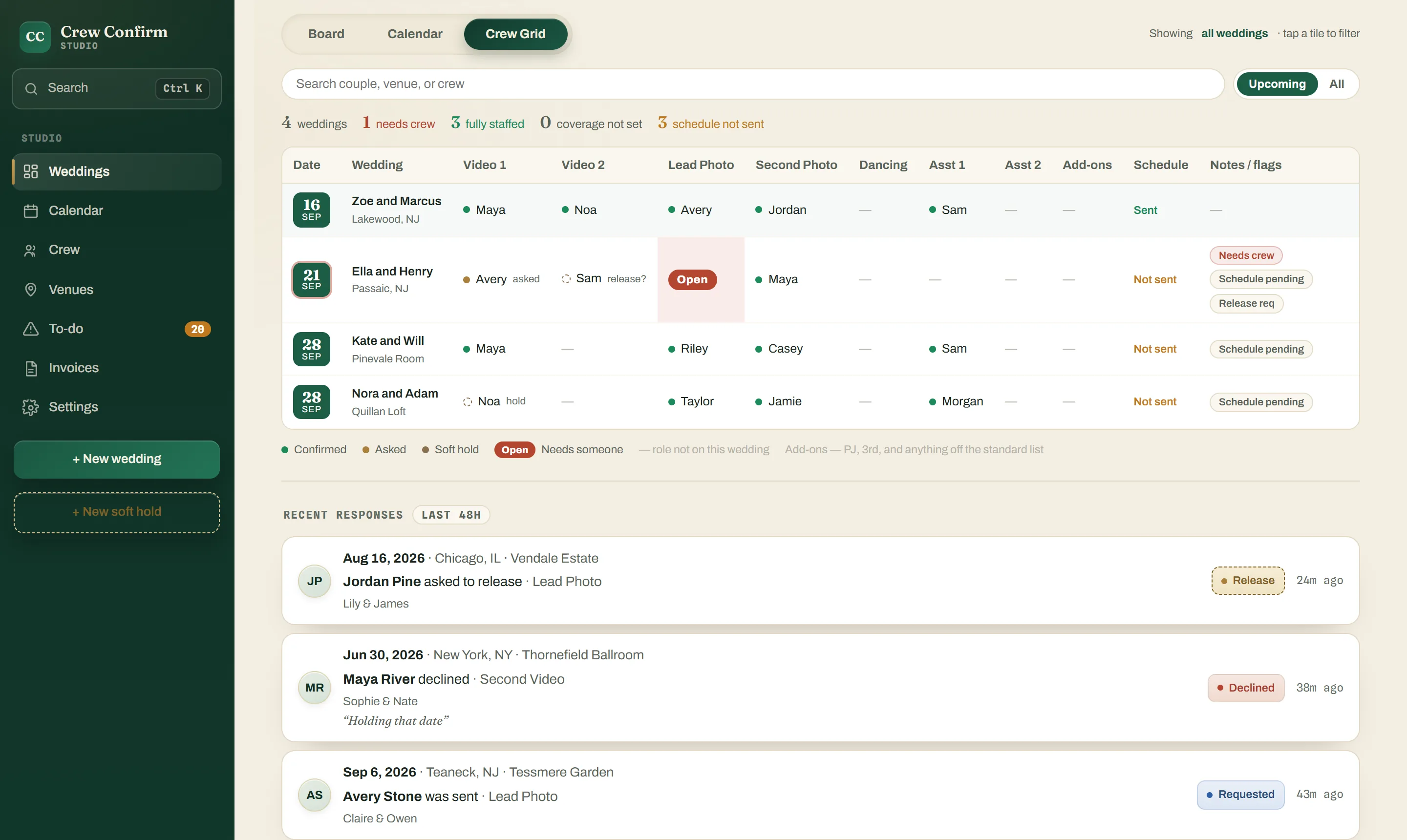
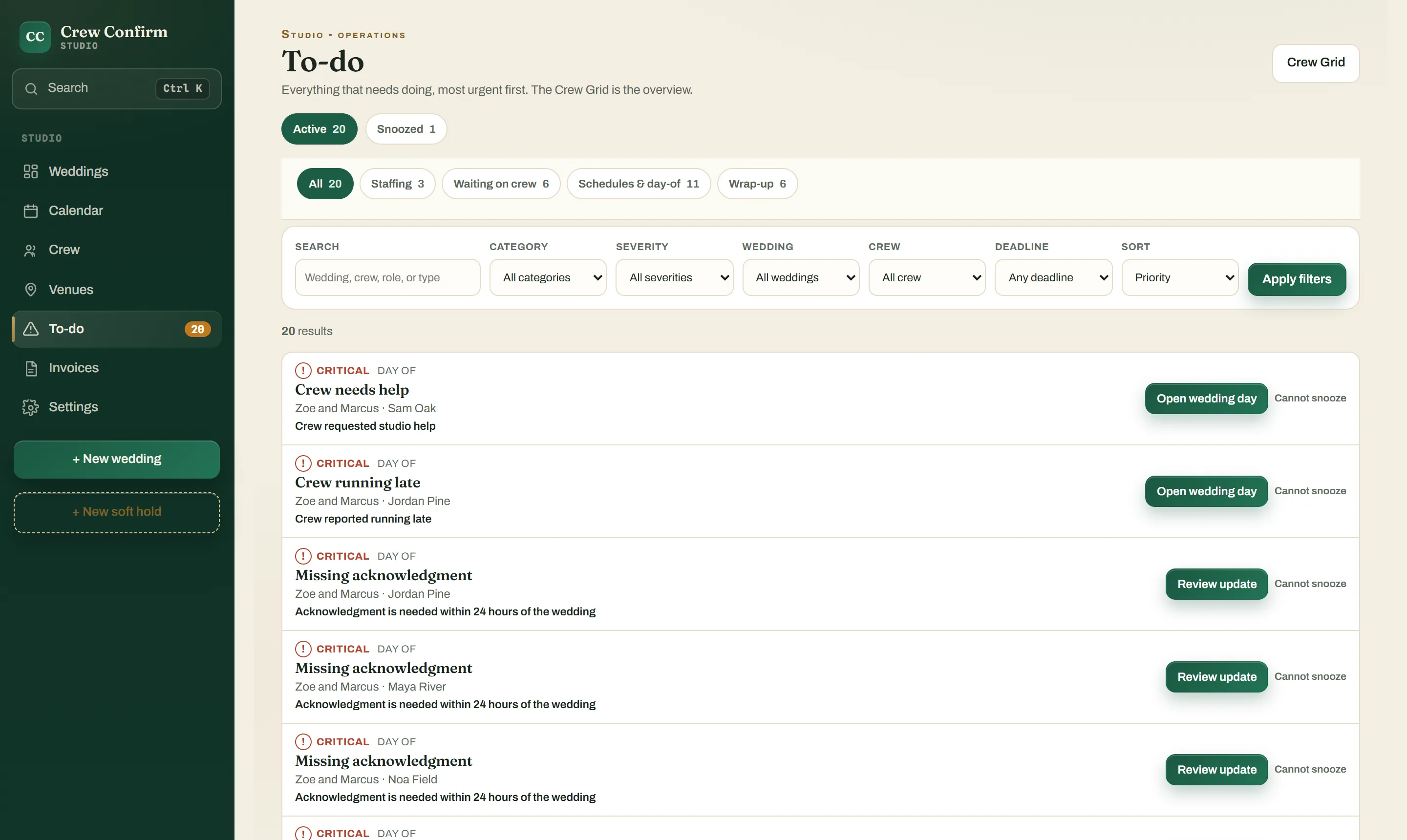
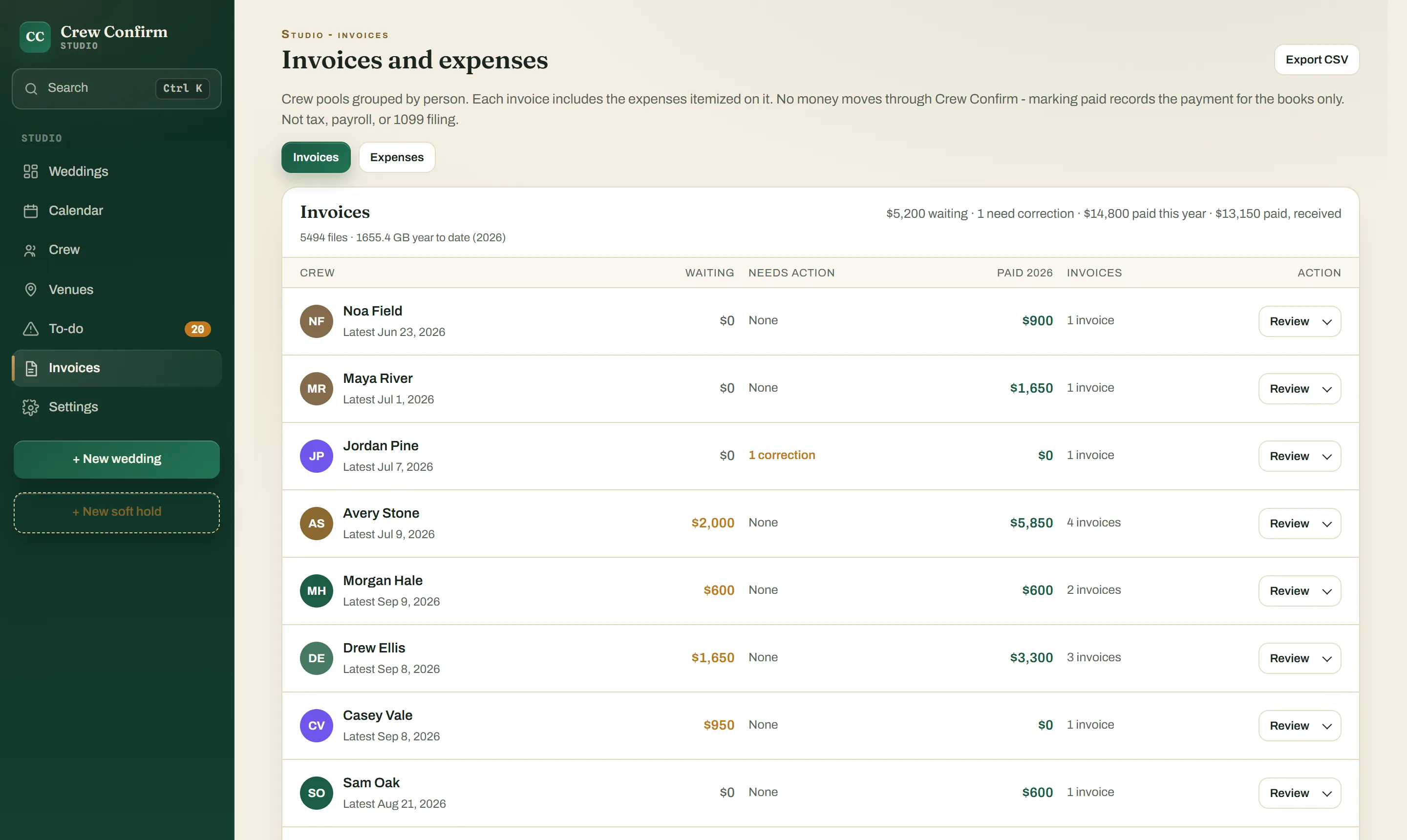
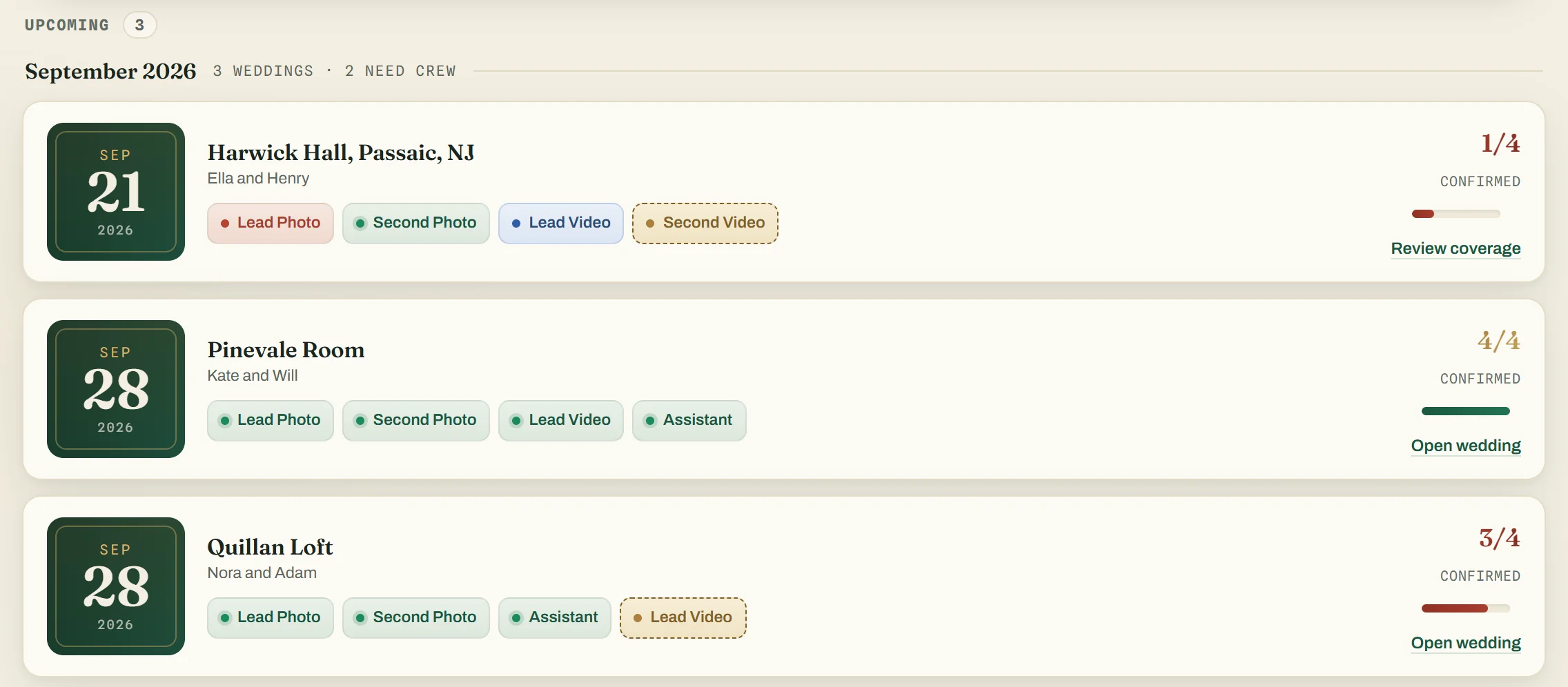
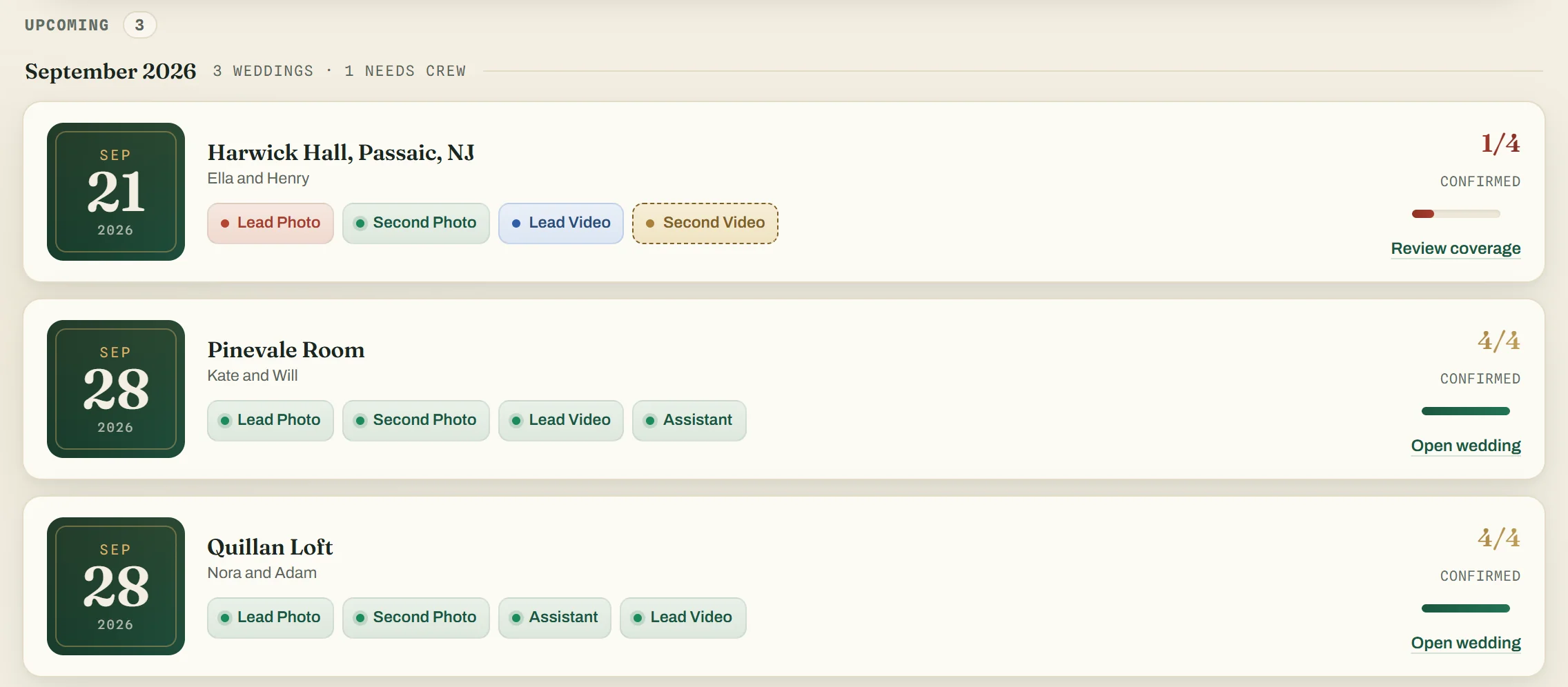
Board. Every wedding's roles as chips: red is open, blue is asked, gold is holding, green is confirmed. The tiles up top say what needs you.
Built for crew too
They open the link and add it to their home screen from the browser. That's the install.
Requests show in the crew app, and come by text or WhatsApp, whichever they chose, once your texting number is verified.
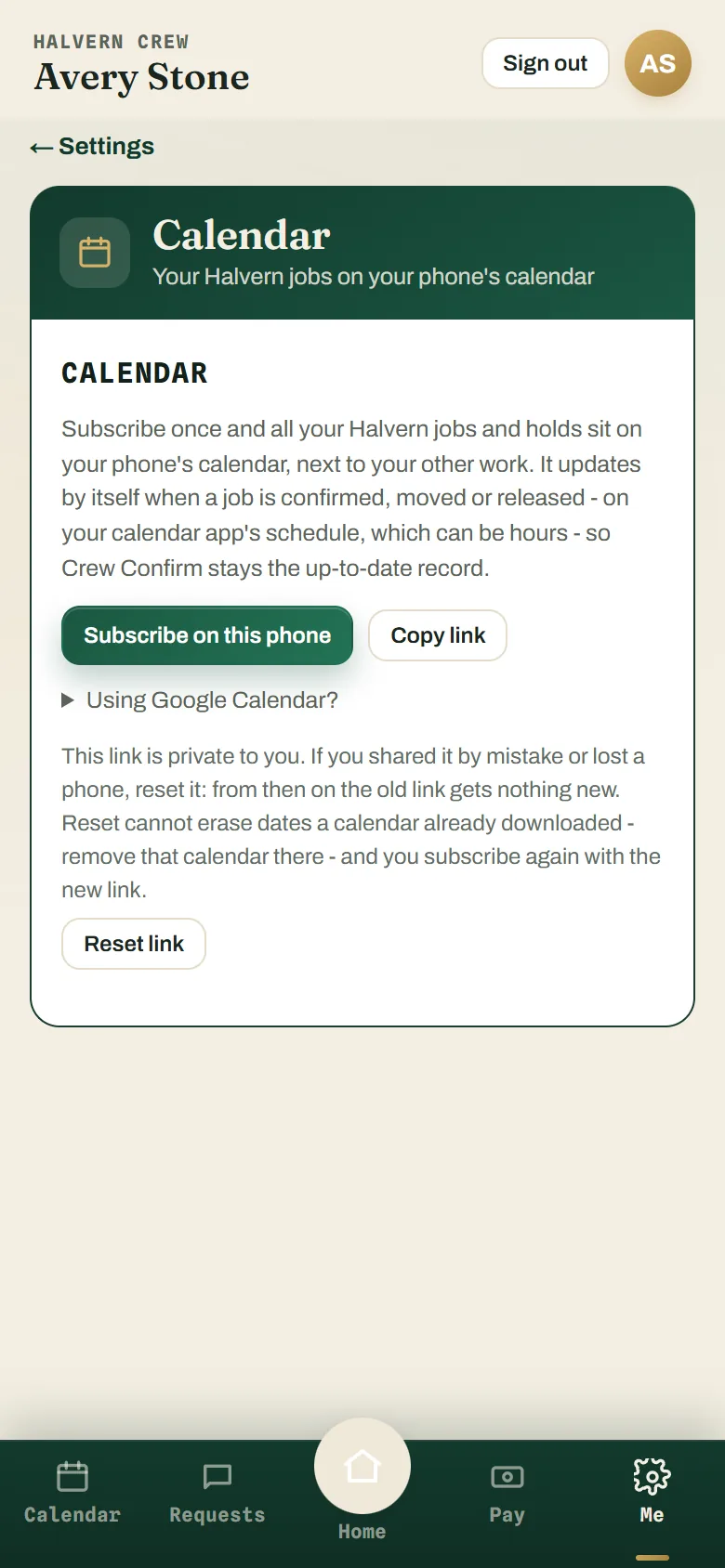
A calendar feed puts every booking in the phone calendar they already use.
Invoices, expenses and statements as PDF or CSV. Texts follow quiet hours, and they can opt out any time.
Built inside a working studio
Crew Confirm started as the crew software for one wedding studio, and that studio still runs its own crews on it. It was built around that studio's weddings first, then offered to other studios.
That studio belongs to our founder. Take it as one studio's experience, not a promise about yours.
Uri Arnson, founder of Crew Confirm and owner of Uri Arnson Wedding Photography.
Pricing · monthly, per studio
Up to 5 active crew
5 crew seats
Up to 15 active crew
15 crew seats
Unlimited crew
No seat limit
Only active crew count. A crew member counts while they're booked or asked, in the last 12 months or upcoming. Everyone else on your list is free. Owner, Studio Manager and Studio Editor accounts are free and never use a seat.
Cancel any time. After cancelling, your studio stays viewable and exportable (read-only), and nothing is deleted.
No app store. Crew open a link on their phone and add Crew Confirm to their home screen from the browser.
Each crew member picks one channel, text or WhatsApp, and requests go there and to the crew app. Texting starts once your studio's sender number is verified, which we set up with you; requests show in the crew app from day one. Texts follow quiet hours, and anyone can opt out at any time.
A seat is one active crew member: a second shooter, a videographer, an assistant. A crew member counts while they're booked or asked, in the last 12 months or upcoming. Everyone else on your list is free. Owner, Studio Manager and Studio Editor accounts are free and don't use seats. Weddings are unlimited on every plan.
With $9 for your first 14 days. Start your studio with the form at the bottom of this page, or book a 15-minute demo to see it first. You pay $9 on Stripe's secure page; we then set your studio up automatically and email your sign-in link, usually in 15 to 25 minutes. If we can't set it up within 24 hours, your $9 is refunded. Your first 14 days cost $9, paid by card when you start. After that, the plan you chose renews every month at its price, automatically, unless you cancel before the 14 days end. Cancel in Settings, Plan & billing, Manage billing: your 14 days still run to the end and nothing more is charged. Before you pay, you see the exact date of the first monthly charge and its price. If you cancel, your studio stays viewable and exportable (read-only) afterwards, and nothing is deleted. Texting starts once your studio's own number is verified, which usually takes 3 to 5 business days; requests show in the crew app from day one. Your crew hear nothing until you invite them.
Yes. Export your crew list and invoices as CSV any time, crew download their own statements as PDF or CSV, and if you cancel your studio stays viewable and exportable (read-only).
A wedding's schedule shows the time zone saved for its venue, or else the one saved for the wedding, labelled with the zone, so a 2:30 PM start reads the same on every crew phone. With neither saved, it shows New York time. Everything else runs on Eastern time for now: your studio's deadlines, records and text quiet hours follow New York time, wherever you are.
Put this season's weddings in, send the first requests, and watch the board turn green. Ask to start your studio: here is exactly what happens next.