Wedding photography timeline: with a first look, without one, and for two crews
Most wedding photography timelines online are written for the couple. They answer "when do we do family photos?" and "how long do portraits take?" That's useful, and it's half the job.
The other half belongs to the studio. A wedding has one timeline but two or more people working it: a lead, a second shooter, often a videographer, sometimes an assistant. Each of them starts at a different time, in a different room, with a different job. If everyone reads the same single line of times, someone ends up at the wrong place, early or late.
This guide builds the day from the studio's side: the fixed points, the day with a first look and without one, and a separate track for each person on the wedding crew.
Start with the fixed points
Before you write a single time, collect the things you can't move. Everything else is built around them.
- The ceremony start. The anchor for the whole day. Build backward from it, not forward from getting ready.
- Sunset, if light matters for portraits. Look it up for the date and the place.
- When hair and makeup finish. Getting-ready coverage only works if this time is real.
- Venue rules. When vendors can get in, where they load in, and any no-photo areas or times.
- Travel between locations. Two getting-ready locations, a separate ceremony site, or a different reception venue each add a move.
- What the couple already promised other people. A planner's run of show, a band's set times, a religious officiant's requirements.
Our own schedule presets hang the whole day on one of these: the ceremony start. Every getting-ready and portrait row counts back from it. After that come two questions: when coverage ends, and whether there's a first look. Those three answers set both photographers' hours.
Once you have these, you can see where the day is tight before you add anything.
A wedding photography timeline with a first look
A first look moves the couple's portraits, and often the wedding party and some family photos, to before the ceremony. The couple gets to spend more of cocktail hour with their guests, and the photographers aren't racing the light afterward.
What it changes for the studio: the lead's day usually starts earlier, and the big portrait block happens while everyone is fresh.
One studio's times, not a rule. This is the First Look preset built into Crew Confirm, from the studio it was first built for. Ceremony at 6:00 PM, one getting-ready location per side:
| Time | Lead photographer (1:30 PM to 12:00 AM) | Second shooter (2:00 PM to 11:30 PM) |
|---|---|---|
| 1:30 PM | Starts; getting ready and details, side one | |
| 2:00 PM | Portraits, side one | Starts; getting ready and details, side two |
| 2:30 PM | Portraits, side two | |
| 2:45 PM | First look and couple portraits | First look and couple portraits |
| 3:30 PM | Family portraits, side one | Family portraits, side two |
| 5:15 PM | Extended family and wedding party, side one | Extended family and wedding party, side two |
| 6:00 PM | Ceremony | Ceremony |
How the blocks add up: the lead starts four and a half hours before the ceremony, and the second half an hour later. Getting ready gets half an hour. The first look and the couple portraits share one 45-minute block, both photographers together. Family portraits get the longest block of the day, an hour and three quarters, with each photographer on one side's family. The wedding party and extended family take the last 45 minutes before the ceremony. The lead stays to the end of the night; the second leaves half an hour earlier.
Your own blocks depend on the couple, the venue and how long your family list really takes.
A wedding photography timeline without a first look
Without a first look, the couple sees each other for the first time at the ceremony, and most portraits move to after it. The day starts later for photographers, and the hour after the ceremony is the hardest hour of the day.
What usually happens: family photos right after the ceremony, while everyone is still there; then the wedding party; then the couple, often during cocktail hour. That's a lot to fit, and it's where most timelines slip.
Our Non First Look preset takes a different route: it moves each side's family portraits to before the ceremony, one photographer per side, so the couple never have to be in the same room for them.
One studio's times, not a rule. The Non First Look preset, ceremony at 6:00 PM:
| Time | Lead photographer (2:00 PM to 12:00 AM) | Second shooter (2:30 PM to 11:30 PM) |
|---|---|---|
| 2:00 PM | Starts; getting ready and details, side one | |
| 2:30 PM | Portraits, side one | Starts; getting ready and details, side two |
| 2:45 PM | Portraits, side two | |
| 3:30 PM | Family portraits, side one | Family portraits, side two |
| 5:15 PM | Extended family and wedding party, side one | Extended family and wedding party, side two |
| 6:00 PM | Ceremony | Ceremony |
How the blocks add up: the lead starts four hours before the ceremony, half an hour later than on a first-look day, and the second half an hour after the lead. The lead gives side one's portraits an hour; the second gives side two's 45 minutes. Family portraits and the wedding party keep the same blocks as on a first-look day.
The couple portraits are the one thing missing from the table, on purpose. They happen after the ceremony, and the preset writes nothing after the ceremony starts: from there the planner's run of show sets the order, and the couple portraits fit into it, usually during cocktail hour.
Two crews, one wedding: give each person their own track
This is the part couple-facing timelines leave out, and it's the part that goes wrong for studios.
Your second shooter doesn't need the lead's day. They need their own: when they start, where, what they cover in each block, and when they're done. The same goes for video, which often starts and ends on a different clock than photo, and for an assistant whose main job may be the family list.
Write a block for each person, with four things:
- Their role. Lead photo, second photo, lead video, second video, assistant.
- Their start time and where. Not the wedding's start. Theirs.
- What they own in each part of the day. "Side two getting ready" is clearer than "getting ready".
- When their coverage ends. A second shooter who leaves an hour before the lead should know that in writing, and so should the lead.
The common failure is a single shared document where everyone reads the top line. The second sees the lead's arrival time and comes early, or sees the ceremony time and comes late. A separate track for each person removes the guessing.
A track only helps someone who has said yes to the day. If a seat is still open, start with how to ask for the date and get a clear answer.
If you send someone to lead a wedding you won't be at, they need more than a track. We wrote about that difference in Associate photographer or wedding second shooter?
Where the timeline usually slips
You can't stop every delay. You can see the usual ones coming.
- Hair and makeup. If getting ready runs late, everything after it compresses. Ask the couple for the time it really finishes, not the time it starts.
- Family photos. Someone is missing, someone is at the bar, the list is longer than anyone admitted. A short list, in shooting order, with one person calling names, does more than extra minutes.
- Travel. Moving between locations always takes longer with a wedding party. Write the move into the timeline as its own row.
- The ceremony start. Ceremonies often start late. A first-look day absorbs that better than a day where every portrait waits until after.
- Cocktail hour. Without a first look, it's the most crowded part of the day. Decide in advance which portraits are must-haves and which are "if time allows".
Our presets have no row called "buffer". The give comes from two places. The family block is the longest of the day, an hour and three quarters, because the family list is the usual reason a day runs over. And nothing is scheduled after the ceremony starts: the planner and the lead run that stretch, so the timeline never promises the crew a time the day can't keep. That stretch is the planner's run of show, not spare portrait time, and it still ends at each person's coverage end.
Sharing the timeline, and what happens when it changes
A PDF is fine until the day changes. Then there are two versions, and nobody is sure which one the second shooter has.
Three habits help:
- One current version. Wherever the timeline lives, there should be one place everyone looks, and old copies should be clearly old.
- Send it before the day, not on it. Your crew should know their start time and their first block days ahead.
- When something changes, ask for an acknowledgment. A change nobody has acknowledged is a change you can't count on. Give a time to acknowledge it by, and follow up with the people who haven't.
A call sheet is the other half of this: the venue, the entrance, parking, who else is on the crew.
When the timeline does change, we wrote a routine for telling your crew, and knowing they know.
Full disclosure: we make software for this
Crew Confirm runs the crew side of a wedding studio: booking, briefing and paying the wedding crew. It isn't a client CRM. Here is how it handles the timeline.
Presets, then your edits. On a wedding's planning page, two presets, "Apply First Look" and "Apply Non First Look", lay out a Main Coverage block for the lead and a Second Coverage block for the second, each with its own hours and rows. You change any row, add rows, and add an extra coverage block for a third photographer or video.
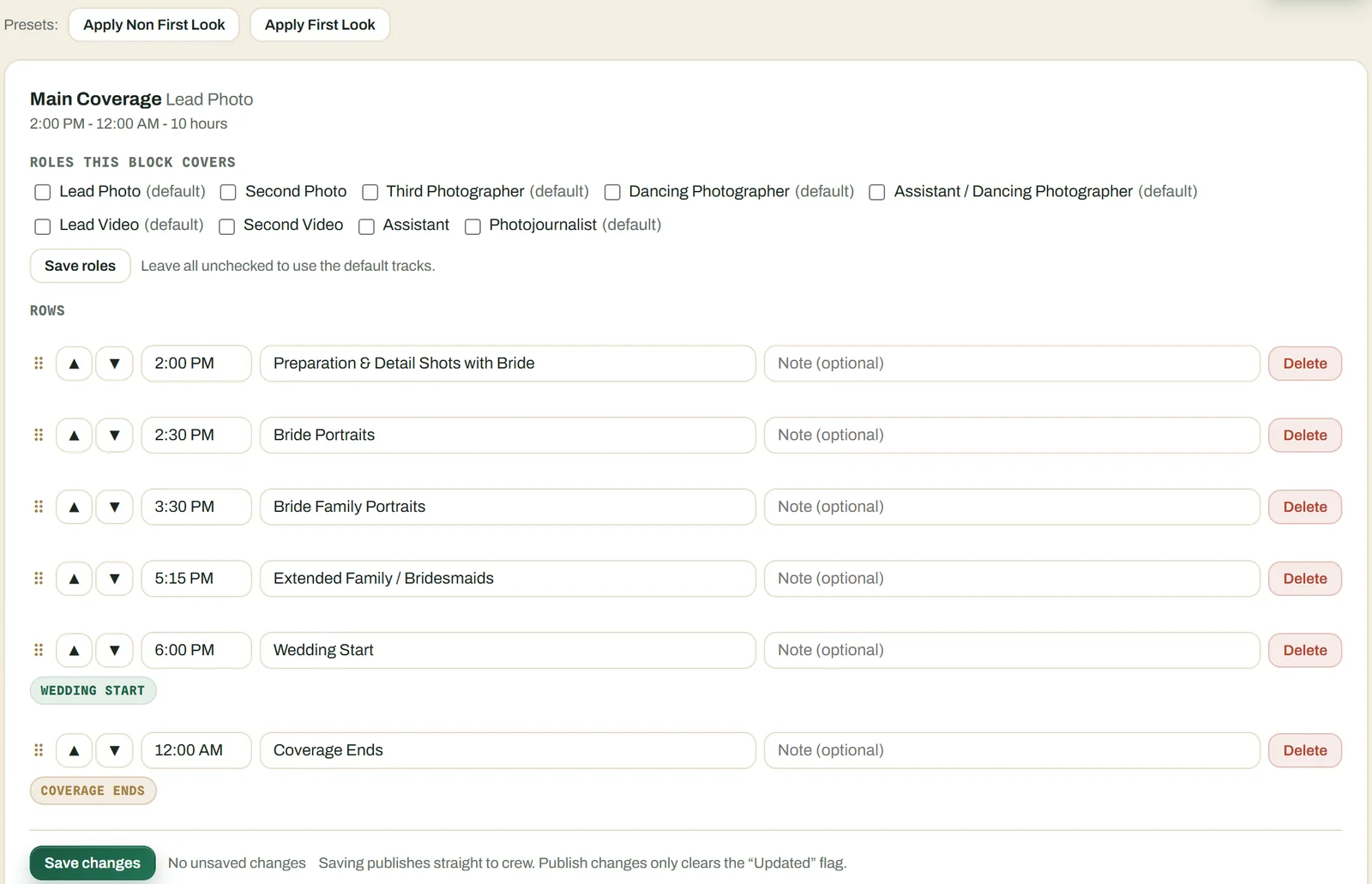
Saving publishes it to the crew. When you save, the schedule goes straight to the crew on that wedding, and you can re-publish after changes. Times show in the wedding's local time, with the zone labelled.
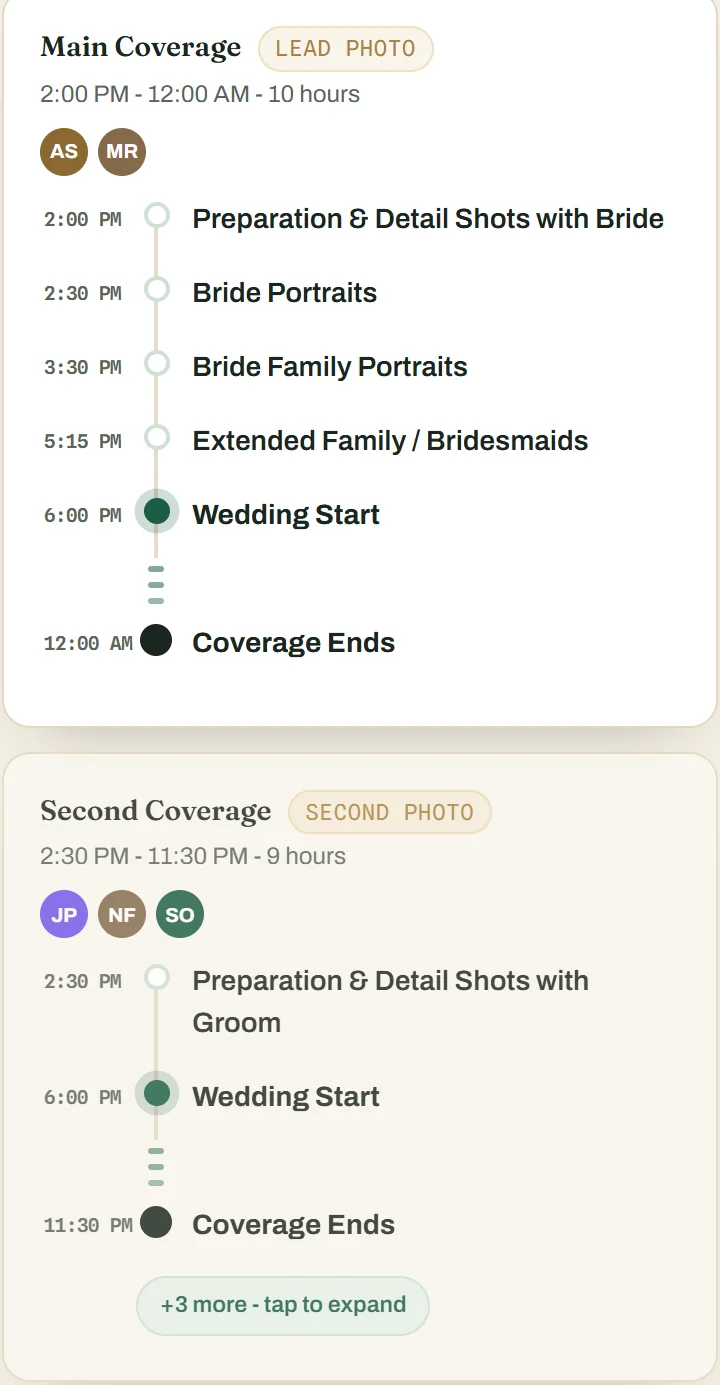
Each person sees their own track. On their phone, each crew member sees their role and their start time at the top of the wedding page, then the day in coverage blocks. They can save the day's schedule as an image for their phone.
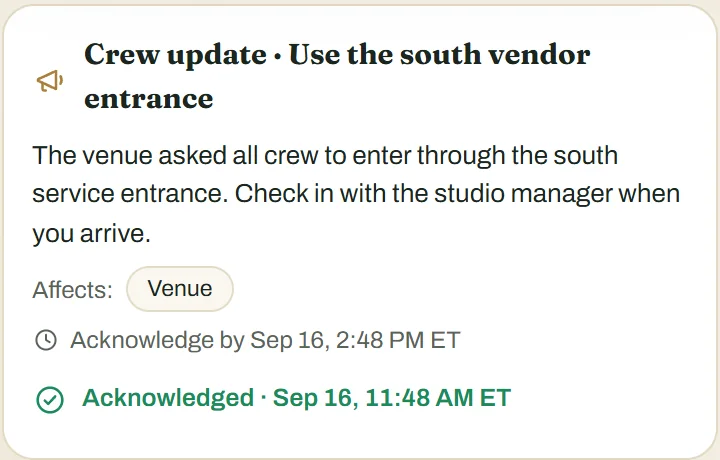
Changes on the day get acknowledged. When something moves, you publish a crew update with a deadline to acknowledge it. Each person acknowledges it on their phone, and you can tell who has and who hasn't. On the day itself, crew report arrived, running late or help to the studio's arrivals board.
Crew don't download anything from an app store: they open a link and can add it to their home screen. See how it works or plans and pricing.